Free RAM is the wrong number
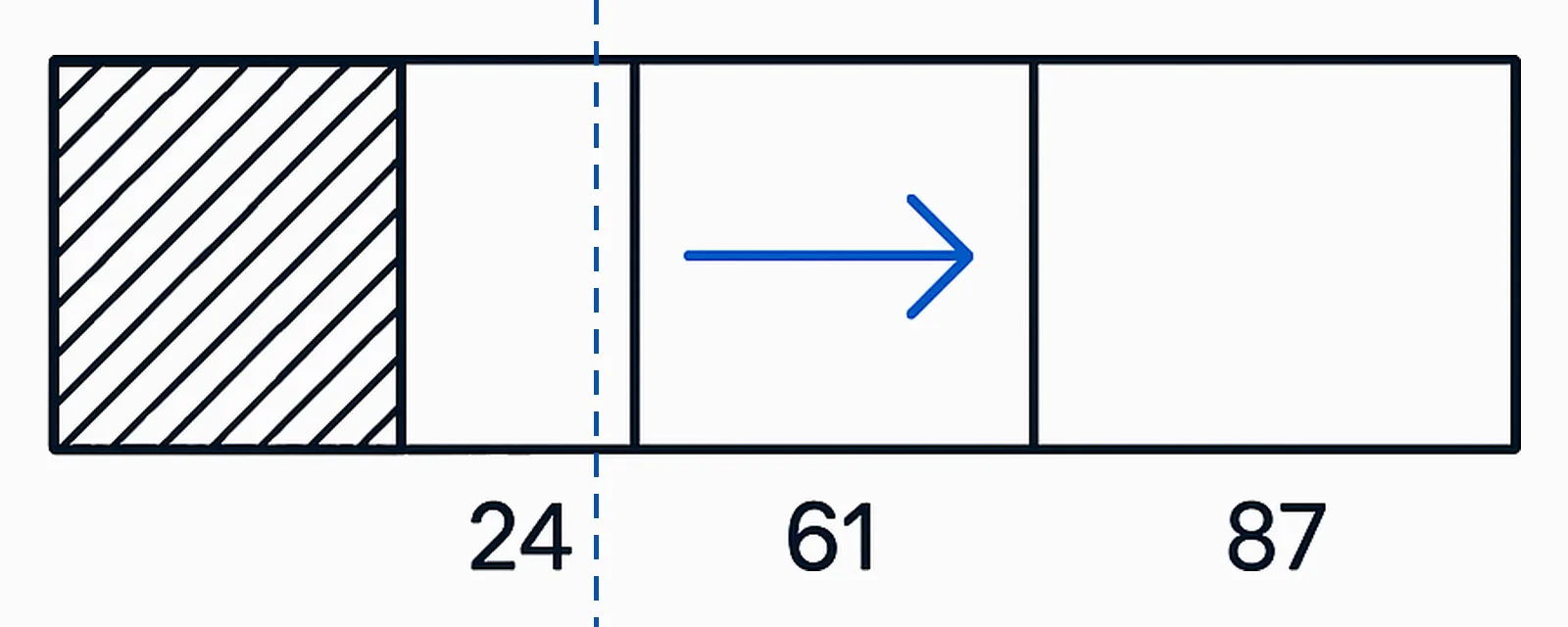
The number every memory meter reads is MEMORYSTATUSEX.ullAvailPhys, and Microsoft defines it in two sentences: it is “the amount of physical memory that can be immediately reused without having to write its contents to disk first”, and “it is the sum of the size of the standby, free, and zero lists.” The standby list is cached file data. So the field that a “free up memory” product exists to raise already counts the cache as available, and a machine with a large standby list is a machine that is using the RAM you bought.
§1A working set is the pages of one process that are resident in physical memory right now
- Costs per page
- 4,096 bytes on a 4K x86 page
- Default minimum working set
- 50 pages · 204,800 bytes at 4K
- Default maximum working set
- 345 pages · 1,413,120 bytes at 4K
Microsoft’s definition is flat and short: the working set of a process is the set of pages in its virtual address space that are currently resident in physical memory. Touch a pageable address that is not in it and the processor raises a page fault. A soft fault is resolved without reading the backing store, because the page is still in RAM — in another process’s working set, or in transition. A hard fault has to be resolved by reading the page from the paging file or from a mapped file on disk. That distinction is the whole subject of this page: a soft fault costs a few microseconds of bookkeeping, a hard fault costs a disk read.
Three quantities get confused with each other in every screenshot-driven argument about memory, and the operating system reports them separately. WorkingSetSize in PROCESS_MEMORY_COUNTERS_EX is what is resident. PrivateUsage in the same structure is documented as the commit charge for the process, the private memory the memory manager has promised it — promised, not necessarily resident. And residency is not exclusive: the Shared bit in PSAPI_WORKING_SET_EX_BLOCK reports whether a page can be shared, and ShareCount reports how many processes share it, to a documented maximum of 7. A shared page counted in six working sets is one page of RAM, not six.
§2Windows counts cached file data as available memory, so “free” and “available” are different numbers
- Costs counted as available
- standby + free + zero lists
- Costs to discard a standby page
- 1 disk read when the file is used again
- Costs of the Task Manager breakdown
- NOT ESTABLISHED — see §2
The archived Windows Server 2003 counter reference, which is where Microsoft still publishes the definition, says Memory\Available MBytes “is equal to the sum of memory assigned to the standby (cached), free, and zero page lists.” Pages leave a working set for the modified list if they are dirty and for the standby list if they are not; the memory manager writes modified pages to their backing store and moves them across. Mark Russinovich put the consequence in one clause in the article named in §4: you can view the standby list as a cache of file data. It is cache that has already been paid for with disk reads, it is counted as available, and any process that asks for memory gets it without a wait.
What we could not establish. Microsoft does not publish a definition of Task Manager’s memory composition — the strip that reads In use, Modified, Standby and Free, and the separate Cached and Committed figures. We looked at the Win32 memory reference, the Server 2003 and Windows 2000 counter references, the page-file article, the cache-and-memory-manager troubleshooting guide and the Sysinternals RAMMap page, and found counter definitions and API definitions but no first-party description of that user interface. So the honest statement is that “in use” in Task Manager is a composite whose exact membership Microsoft has not documented, and the documented instrument for the same question is RAMMap, whose Use Counts tab is described by Microsoft as usage summary by type and paging list. RAMMap also carries an Empty menu that Microsoft’s page never mentions, which is why Ledger row M-08 is UNVERIFIED rather than harmful or harmless.
§3Two documented calls empty a process’s working set, and the meter moves before anything is faster
- Costs to call
- 2 documented APIs · 1 handle with PROCESS_SET_QUOTA
- Costs on next access
- 1 page fault per removed page
- Costs in milliseconds
- NOT ESTABLISHED — see §9
Clean up computer memory automatic timer by Windows Winset.Archived Windows Winset capability index, tlwinset.com/help.htm, capture 2012-08-24. Checked 2026-08-06 · Ledger row M-01
There is no mystery about the mechanism, because Microsoft documents it. The EmptyWorkingSet function “removes as many pages as possible from the working set of the specified process”, and SetProcessWorkingSetSize does the same thing when both the minimum and the maximum are passed as (SIZE_T)-1. The caller needs a handle with PROCESS_SET_QUOTA access, which any administrative process can obtain for another process. That is the entire trick: one call per process, and the available-memory figure rises by the size of the working sets that were emptied.
Where the pages go is documented on the same pages. Removed pages become transition pages; dirty ones must be written to their backing store before the frame can be repurposed. The next time the process touches one of those addresses it takes a fault — soft while the page is still in transition, hard once the frame has been reused for something else. So the cost is stated in units and not in adjectives: one fault per removed page, and a disk read for every removed page that has been repurposed by the time the user switches back to the window. We think the plainest way to describe the product category is that it converts resident memory into future faults and reports the conversion as a saving.
What we could not establish. We have not measured how long a trimmed application takes to become responsive again, and we cannot: we do not run the software, and the figure depends on storage type, on how much of the working set was shared and on how quickly the frames are reused. Nothing in this article should be read as a millisecond claim.
§4Mark Russinovich described this product class in Windows & .NET Magazine, and what he published is an argument from mechanism rather than a measurement
- Costs to read
- 0 · article dated 2003-12-29
- Costs of the mechanism he described
- 1 large allocate-and-free cycle per run
- Costs in independent measurements
- 0 published for this claim
Mark Russinovich, The Memory-Optimization Hoax, is where this
argument was first made in public and it should be credited by name every time it is
used. The dating is worth stating exactly, because two sources disagree in appearance:
the publisher’s page carries 2003-12-29, and Russinovich announced it as a
current magazine article in the Sysinternals newsletter of 2004-07-30. We could not
establish the print issue date and we are not guessing at one. His description of the
mechanism is worth stating precisely too, because it is not the one described
in §3: the products of that era raised the available figure by allocating and
then freeing a large amount of virtual memory, which forced the memory manager to trim
everybody else. He wrote that at best, RAM optimizers have no effect, and at worst,
they seriously degrade performance
, and, on the vendors’ further claims,
that Windows already trims idle processes automatically. The API route in §3 has
been documented since Windows XP, so the modern version of the product no longer needs
his indirect one — which makes the claim easier to check, not harder.
Two honest caveats, in the paragraph where a reader would otherwise assume more. First, this is reasoning from documented mechanism, not a benchmark: Russinovich published no before-and-after timings, and neither have we. Second, the wider evidence base for this whole product category contains exactly one fully verifiable independent measurement, and it is about registry cleaning rather than memory — we take that apart in what a “registry error” actually is. An unrebutted argument from mechanism is worth more than a confident consensus with nothing behind it, and it is still not a measurement.
§5A timer is the difference between a one-off cost and a cost that never finishes being paid
- Costs at the advertised interval
- 1 trim per 10 minutes, all processes
- Costs at the advertised trigger
- fires below 30% free
- Costs to recover between runs
- NOT ESTABLISHED — see §3
recommend every 10 minutes clean up memory onceArchived help topic, memory, tlwinset.com/wineb/wh6.htm, capture 2013-09-24. Checked 2026-08-06 · Ledger row M-01
cleanning up memory when free memoryless than 30%Archived help topic, memory, tlwinset.com/wineb/wh6.htm, capture 2013-09-24. Checked 2026-08-06 · Ledger row M-02
Those two cards are archived vendor claims from this domain’s own history, both from a 2013 capture of the same help topic, and they are worth reading as a specification rather than as advertising. The interval matters more than the operation. A single trim is a cost the machine recovers from: the pages fault back in over the following seconds and minutes, and after that the working sets are the size the memory manager chose. A ten-minute timer means recovery is interrupted before it completes, indefinitely, whether or not the machine is under memory pressure. That is why row M-01 is HARMFUL rather than NO-OP: the mechanism of the loss is repeated hard faults, and the timer is what guarantees the repetition.
The percentage trigger is a different verdict for a different reason. A rule that acts when free memory falls below 30% is reading a figure that already counts the standby list as available, so it treats a well-populated file cache as a shortage and discards cache to prove it. Nothing is damaged and nothing is gained; row M-02 is NO-OP. Note what these two rows are not saying, because the distinction is the site’s whole vocabulary: doing nothing and doing something you did not want are separate findings with separate costs.
§6The meter moving felt like a repair, and a regulator had to establish that it was not one thirty years ago
- Costs recorded in the FTC file
- 1 company, 3 officers, 1996-07-10
- Costs to consumers, in copies
- 600,000 of SoftRAM95, Aug–Dec 1995
- Costs of the current rule
- 3 named claim behaviours, criteria of 2026-01-29
The placebo here is real and it deserves an explanation rather than contempt. A memory cleaner gives immediate, legible, quantified feedback: a number that was small becomes large, in a second, on demand. The cost it imposes is delayed, diffuse and attributed to something else — a window that takes a moment to redraw is blamed on the application. Any control loop with instant reward and deferred punishment feels like it works, and a user who reports that it did is reporting honestly.
This is old ground, and the record is primary. On 1996-07-10 the Federal Trade Commission announced a proposed consent agreement with Syncronys Softcorp and three officers over SoftRAM and SoftRAM95, products sold as a cheaper alternative to buying RAM. The complaint alleged that SoftRAM95 “does not increase RAM in a computer using Windows 95; nor does the product enhance the speed, capacity, or other performance measures”, that the “Designed for Windows 95” logo on the packaging was unlicensed, and that the company had no reasonable basis for its claims. The company had sold about 600,000 copies of SoftRAM95 between August and December 1995 and recalled both products during the investigation. The Commission vote was 5-0.
The modern equivalent is not a lawsuit but a classification rule, and it is current: Microsoft’s criteria for malware and unwanted applications, dated 2026-01-29, name as grounds for classification software that displays exaggerated claims about a device’s health, makes misleading or inaccurate claims about files or registry entries, and presents alarming health claims that require payment to fix the purported problems. That is Microsoft describing a business model, not a performance debunking, and the difference is worth keeping straight.
§7Since Windows 10 the pages a trimmer removes may never reach the disk, which makes the old meters read more wrongly than before
- Costs since Windows 10 RTM
- compressed pages held in the System process
- Costs of page combining
- increased CPU, no figure published
- Costs to restore a default
- NOT ESTABLISHED — see §7
Microsoft’s own description of memory compression, published with the Windows kernel team when Windows 10 shipped, is that the operating system lets processes trim memory without necessarily paging it to disk: the pages are kept in RAM, compressed, which makes hard page faults rarer. The compressed store is charged to the System process, which is why the System process appeared to grow in Windows 10 and why that was reported as a leak by people reading a meter rather than a mechanism. The practical effect for this article is that the arithmetic behind “free up RAM” changed under the products’ feet: some of what a trimmer removes now costs a decompression rather than a disk read, and the available-memory figure a cleaner raises is a smaller share of the truth than it was in 2004.
Three surfaces people are told to change here are all UNVERIFIED in the Ledger, and for the same reason: Microsoft states no default to restore. The Enable-MMAgent reference does not list memory compression among the features it describes and documents -MemoryCompression in one clause with no default (M-03). DisablePagingExecutive is documented in a tracing reference that says systems running Windows 8 and higher do not need the change (M-07). The value table for EnablePrefetcher survives only in archived Windows Embedded Standard 7 documentation written for devices with a write filter (M-09). Page combining is the one with a documented answer, and it is conditional: Microsoft states it is disabled by default and that “the downside of enabling page combining is increased CPU usage”, with no number attached (M-04, DEPENDS). Meanwhile SysMain, the service most often named in tweak lists, appears in Microsoft’s current services guidance for Windows IoT Enterprise, dated 2026-06-24, marked Don’t disable.
§8The number that shows a real shortage is a hard-fault rate, and the last threshold Microsoft published for it was written for Windows NT 4.0
- Costs to check
- 0 · 3 in-box counters
- Costs above which NT 4.0 called it a bottleneck
- >5 hard faults/sec sustained
- Costs of a current published threshold
- NOT ESTABLISHED — see §8
Three counters are documented and already installed. Memory\Pages/sec is “the rate, in incidents per second, at which pages were read from or written to disk to resolve hard page faults” and Microsoft calls it a primary indicator for the kind of fault that causes system-wide delays. Memory\Page Reads/sec counts the read operations that resolve those faults. Memory\Page Faults/sec counts hard and soft faults together, which is why it is the wrong one to watch alone — the documentation says most processors handle large numbers of soft faults without significant consequence. Watch the first two under the load that actually feels slow, in Performance Monitor, for a few minutes rather than a few seconds.
For a threshold, the most specific number Microsoft ever published is in the archived Detecting Memory Bottlenecks chapter of the Windows NT 4.0 resource kit: “Sustained hard page fault rates—over 5 per second—are a clear indicator of a memory bottleneck.” We report that with its provenance attached, because the page carries Microsoft’s own archived-content warning, it predates SSDs, memory compression and prefetching, and we found no current replacement for it. Resource Monitor’s Memory tab shows a Hard Faults/sec column that would answer the same question in one glance; Microsoft documents the underlying counters but, as far as we could find, not that column. Method for all of this lives in measure it yourself, with what is already installed.
§9When committed bytes sit near the commit limit, the remaining fix is physical memory
- Costs at the commit limit
- allocations fail; RAM + page file is the cap
- Costs at 90% of the limit
- page file grows, up to 3× RAM or 4 GB
- Costs of clearing the page file
- >30 min at shutdown, 2 GB RAM + 2 GB file
The falsifiable version of “I need more RAM” is a ratio Microsoft documents. The system commit limit is the sum of physical memory and all page files; the commit charge is the total promised memory of everything running. Memory\Committed Bytes against Memory\Commit Limit is the pair to read, and Microsoft states that a system-managed page file grows when the commit charge reaches 90 percent of the limit, up to three times physical memory or 4 GB, whichever is larger and no more than one-eighth of the volume. If your commit charge lives near your commit limit while hard faults are sustained, the machine is short of memory and row M-10 is HARDWARE: no registry value changes how many gigabytes are installed. We state that as a condition a reader can check, not as advice to buy anything.
Two page-file settings are sold alongside memory cleaning and belong here. A fixed page file size is DEPENDS (M-05) and the named condition is the crash dump: set it below what the configured dump needs and the next bug check produces no dump and says nothing about it. Clearing the page file at shutdown (M-06) is HARMFUL as a performance setting on Microsoft’s own numbers: the effective client default is Disabled, and Microsoft states that on a device with 2 GB of RAM and a 2-GB paging file the setting “could increase the shutdown process by more than 30 minutes”, because the storage area is overwritten several times. It is a security countermeasure with a stated cost, sold in tweak lists as housekeeping.
§10Standing: what this page establishes and what it does not
- Costs in primary sources
- 22 cited, all accessed 2026-08-06
- Costs in unresolved rows
- 4 UNVERIFIED of 10 touched
- Costs we measured ourselves
- 0 — we run no software
§11Sources & method: every claim above, with the page it came from
- Costs in fetches
- 22 sources, fetched 2026-08-06
- Costs in vendor prose republished
- 0 sentences · 3 quotes, ≤9 words each
- Costs in screenshots
- 0, permanently
Method, plainly: every Microsoft page below was fetched and read on 2026-08-06, and the two archived vendor pages were fetched from the Internet Archive on the same date at the capture URLs given in the claim cards. The Russinovich article is quoted from an archived capture because the publisher’s live URL now redirects to a corporate notice with no article text. Nothing here was measured by us: this page contains no timings, no benchmarks and no first-hand account, because we do not run the software this category sells and we have never run Windows Winset.
- EmptyWorkingSet function (psapi.h), learn.microsoft.com. Accessed 2026-08-06
- SetProcessWorkingSetSize function (memoryapi.h). Accessed 2026-08-06
- Working Set (Win32 memory concepts). Accessed 2026-08-06
- PROCESS_MEMORY_COUNTERS_EX (psapi.h). Accessed 2026-08-06
- PSAPI_WORKING_SET_EX_BLOCK (psapi.h). Accessed 2026-08-06
- MEMORYSTATUSEX structure (sysinfoapi.h). Accessed 2026-08-06
- Memory Object: Core Services — the Memory performance counters (archived, Windows Server 2003). Accessed 2026-08-06
- Chapter 12 — Detecting Memory Bottlenecks (archived, Windows NT 4.0 resource kit). Carries Microsoft’s archived-content warning. Accessed 2026-08-06
- Evaluating Memory and Cache Usage (archived, Windows 2000 Server). Accessed 2026-08-06
- Troubleshoot Cache and Memory Manager Performance Issues. Accessed 2026-08-06
- Cache and Memory Manager Improvements — page combining default and CPU cost. Accessed 2026-08-06
- Enable-MMAgent (MMAgent module), ms.date 2016-12-20. Accessed 2026-08-06
- Memory Compression in Windows 10 RTM, with Mehmet Iyigun of the Windows kernel team. Accessed 2026-08-06
- RAMMap (Sysinternals), published 2026-03-26. Accessed 2026-08-06
- Guidance on configuring system services (Windows IoT Enterprise), ms.date 2026-06-24 — SysMain, Don’t disable. Accessed 2026-08-06
- Introduction to the page file, ms.date 2026-02-12. Accessed 2026-08-06
- Shutdown: Clear virtual memory pagefile. Accessed 2026-08-06
- Kernel Trace Control API reference (Windows Performance Toolkit) — DisablePagingExecutive. Accessed 2026-08-06
- How Microsoft identifies malware and potentially unwanted applications, ms.date 2026-01-29. Accessed 2026-08-06
- Mark Russinovich, The Memory-Optimization Hoax, Windows & .NET Magazine, dated 2003-12-29 on the publisher’s page. Read at the Internet Archive capture of 2017-01-05; the live publisher URL now redirects to a corporate notice. Accessed 2026-08-06
- Sysinternals Newsletter Vol. 6, No. 2, 2004-07-30, in which Russinovich names the article and its magazine. Accessed 2026-08-06
- Federal Trade Commission, Computer Software Manufacturer Agrees to Settle Charges of Software Misrepresentation, 1996-07-10 (Syncronys Softcorp, FTC file 962-3002). Accessed 2026-08-06
Previous · Windows 10 or Linux, from both sides of the sentence — both sentences checked against mechanisms rather than allegiances, with a verdict that is conditional and the condition named.
Next · What a “registry error” actually is — the registry is a few files and a fast key-value store, so what exactly is a cleaner counting when it reports 2,317 errors?